About «Ershov's Algorithm»
Why «Ershov's Algorithm»?
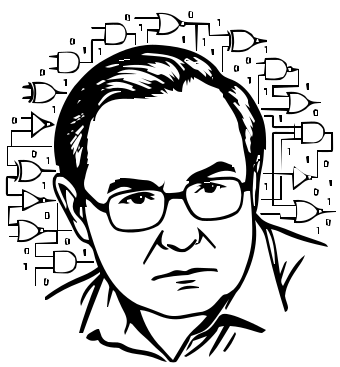
The project is named in honor of the outstanding mathematician, pioneer of Soviet programming, and creator of the first school computer science curriculum — Academician Andrei Petrovich Ershov.
The project's core mission is to demystify computer technology. Understanding how a processor works at the physical and logical level builds a fundamental foundation for future engineers, programmers, and IT professionals. «Ershov's Algorithm» turns this complex journey into an engaging, visual experience.
How it differs from Turing Complete
While «Ershov's Algorithm» draws visual and mechanical inspiration from the genre-defining masterpiece Turing Complete, this project solves an entirely different educational challenge. The original game is brilliant, but it has a high barrier to entry: it requires confident technical English and at times presents an overwhelmingly steep difficulty curve. «Ershov's Algorithm» takes the best mechanics of visual logic circuit design and carefully adapts them for a broader audience. This is a fully localized, browser-based trainer where the path from a basic gate to a complete processor is built as smoothly as possible. Unlike a hardcore indie puzzle game, the focus here is on sequential learning: the interface, hints, and pacing are all designed to guide a student through every stage of computer architecture without getting stuck or losing motivation.
How the simulator works
«Ershov's Algorithm» is an interactive educational environment that guides you step by step from the simplest circuits to a working 8-bit processor.
- Visual construction: Build circuits from logic gates (AND, OR, NOT, multiplexers, flip-flops) right on the browser canvas by connecting them with wires.
- Instant verification: The built-in validation system automatically compares your circuit's behavior against the target truth table for the current level.
- Gradual complexity: As you progress through levels, new and more complex components unlock. Smaller circuits become reusable chips, and challenges escalate all the way to writing assembly programs for your own processor.
Who this project is for
The project is designed to be intuitive for beginners while remaining deep enough for specialized use:
- School students studying computer science who want to go beyond the standard textbook.
- Undergraduate students in technical fields looking for hands-on practice in computer architecture and digital logic.
- Curious enthusiasts who want to understand how computers really work — at the level of ones, zeros, and transistors.

For schools and educational institutions
«Ershov's Algorithm» is well-suited for integration into the curriculum — both in school computer science classes and in robotics and programming clubs. The author is actively improving the learning environment: refining the interface, expanding teaching resources, and adding new capabilities for educators and students.
- Teacher and student dashboards: Convenient tools for assigning tasks, tracking student progress, and automated knowledge assessment.
- Educational materials: An extensive knowledge base with detailed interactive learning cards for every gate and component, historical references, and methodological guides.
Organizations interested in integrating the simulator into their programs are welcome to reach out via email.
Contacts
For questions, collaboration proposals, and inquiries about the school version:
- Email: dmitry-kalashnikov@yandex.ru
- Telegram: @ershovalgorithm